
AI Tools Comparison by Task
| Tasks | Tools | Pricing |
|---|---|---|
| Market Research, Report Analysis, Studying Trend Reports, Summarising Forecasts | Chat4Data | Free with limited scraping and data retention. Pro starts at $10/Month. |
| ChatGPT | Free with limited image generation and reasoning. Paid subscriptions start at $20/Month. | |
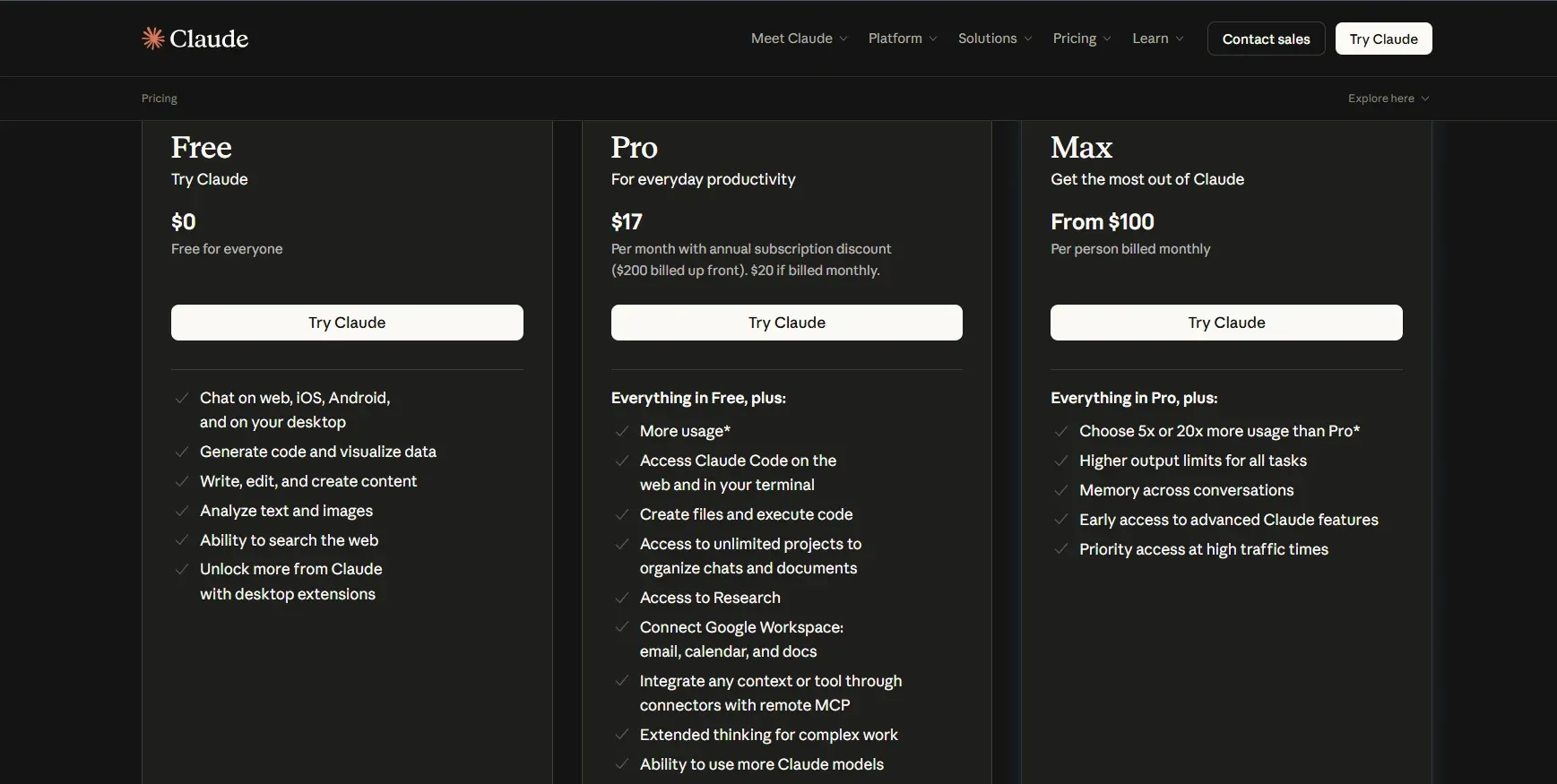
| Claude AI | Free access with limited daily usage and facilities. Pro starts at $17/Month. | |
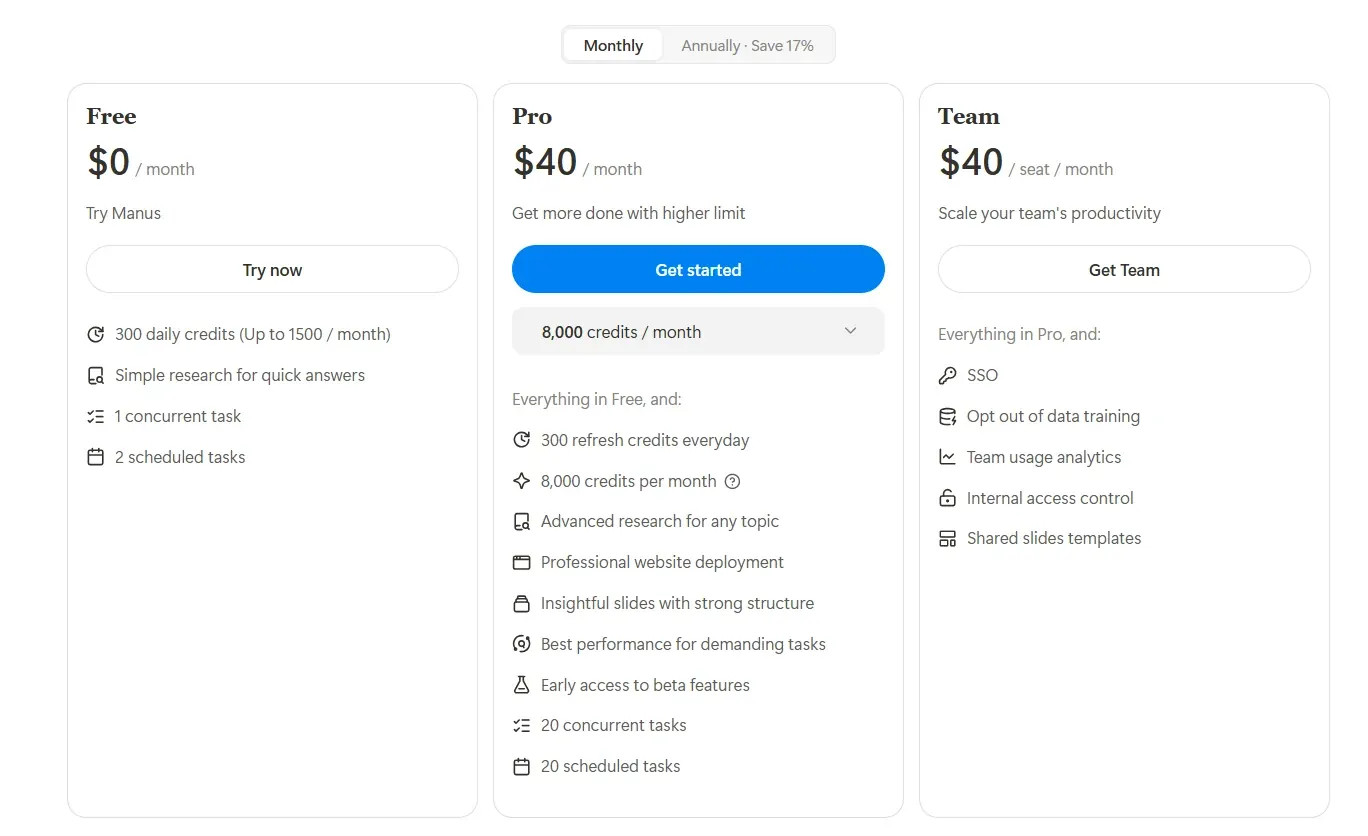
| Manus | Free access with limited research options and tools. Pro starts at $40/Month. | |
| Creating Custom Colour Palettes, Generating High-Quality Images and Mood Boards | Khroma AI | Free Beta Version |
| Adobe Firefly | Starts at $9.99/Month; Free Trial Available | |
| Design Realisation, Fabric Simulation, Sketch Ideation | Midjourney | Starts at $10/Month. |
| Google Nano Banana | Free with limited access. Subscription starts at $19.99/Month | |
| Video Generation, Simulating Movements, and Previewing Garments on photorealistic AI models | Runway ML | Free with limited access. Subscription starts at $12/Month. |
| Sora | Available with Plus and Pro OpenAI Subscriptions starting at $20/Month | |
| Veo 3.1 | Free with limited access. Subscription starts at $19.99/Month | |
| Marketing and Product Shoots, Video Generation for Social Media | Raspberry AI | Starts at $49/Month |
| OpenArt AI | Free with limited trial credits. Subscription starts at $7/Month |
What Are The Best AI Tools For Fashion Designers in 2026?
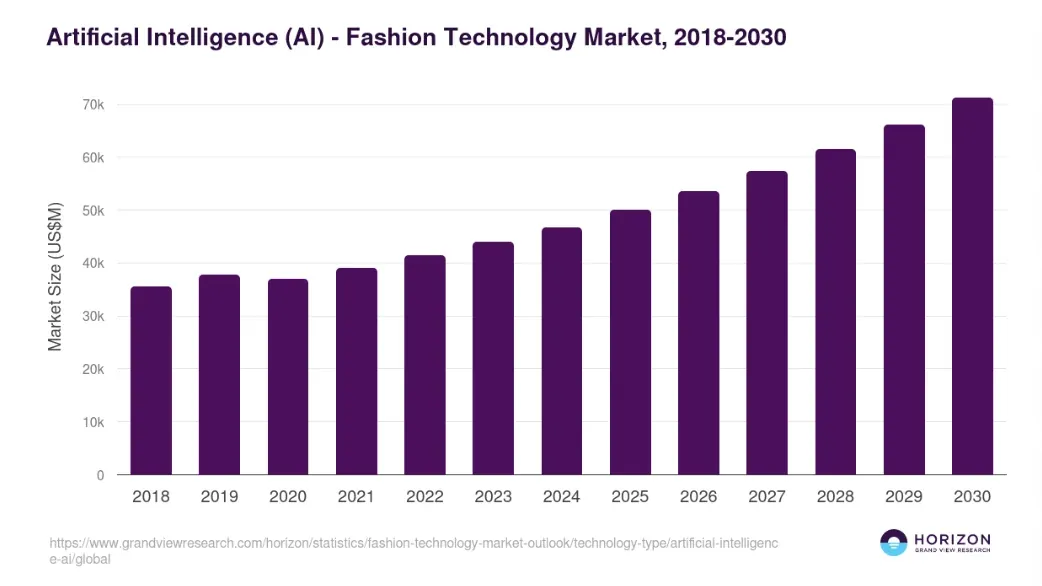
From market research and forecast analysis to quick design realisation, fabric simulation, and video previews, AI tools can be your perfect assistant.
Source: globalgrowthinsights.com
1. AI tools for Market Research and Report Analysis
Consumer research and Trend analysis are the key areas where brands are integrating AI. This has resulted in a significant reduction in time spent on market study and faster, data-driven decision-making.
Chat4Data
Extract and Clean Web Data
ChatGPT
Summarise Complex Reports into Clear Actionable Insights
ClaudeAI
Analyse 100K+ words and Images to Cross-Check Trends with High Accuracy
Manus AI
Multi-Source Trend Research and Professional Report Generation
Chat4Data

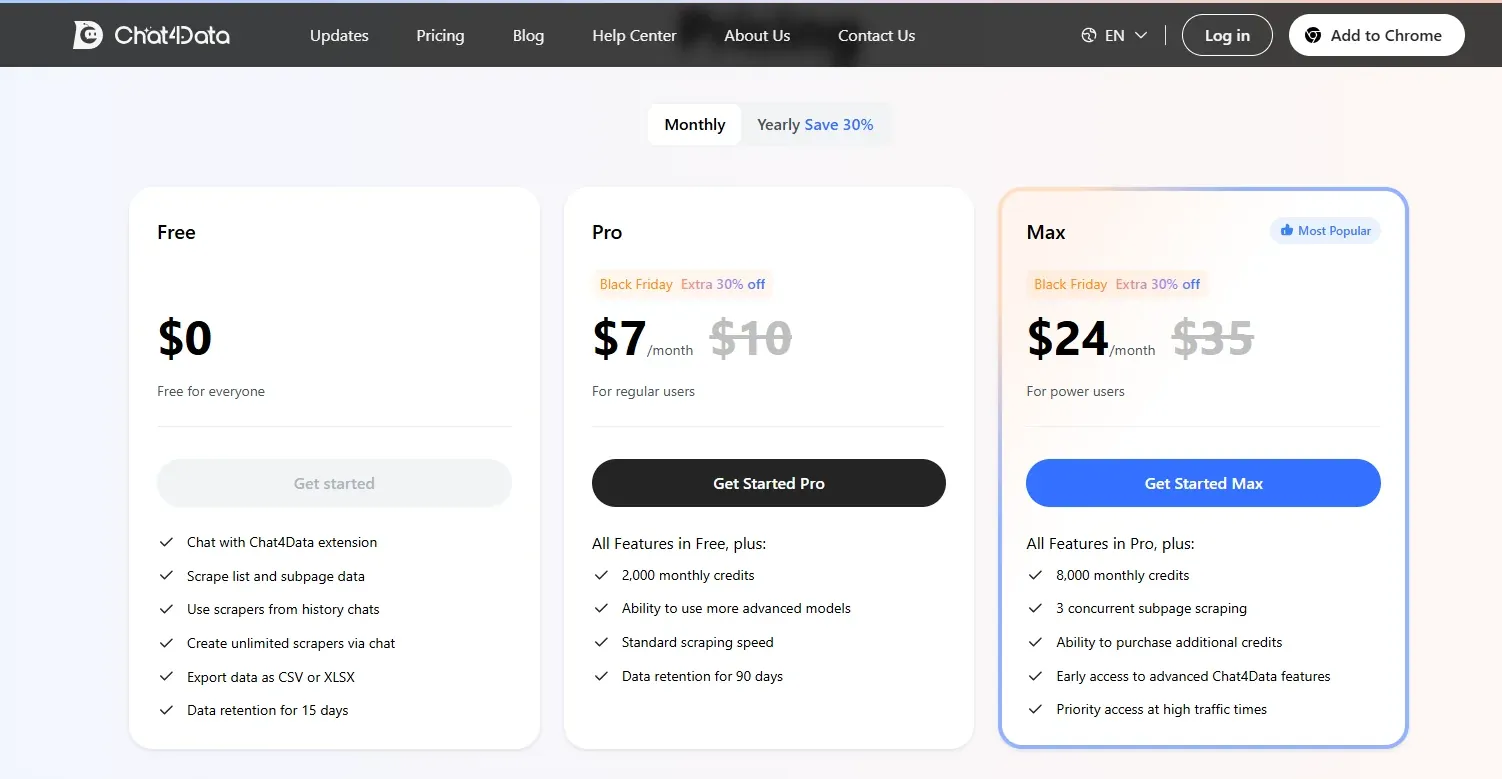
Chat4Data offers a browser extension that allows users to scrape data from websites and turn it into neat, readable lists and tables.
You can use the free extension with limited data scraping, chat options, and 15-day retention, or subscribe to one of their paid plans (starting $7/Month) to access advanced models, faster scraping, priority usage, and longer retention periods.
What is Chat4Data Best For?
- Tracking trends, consumer behaviours, and competitor insights.
- Organising forecast data, fabric research, and pricing into CSV and XLSX files.
- Saving hours of manual research and data collection.
Shortcomings:
- Lacks built-in interpretation - use other platform like ChatGPT and Claude.
ChatGPT
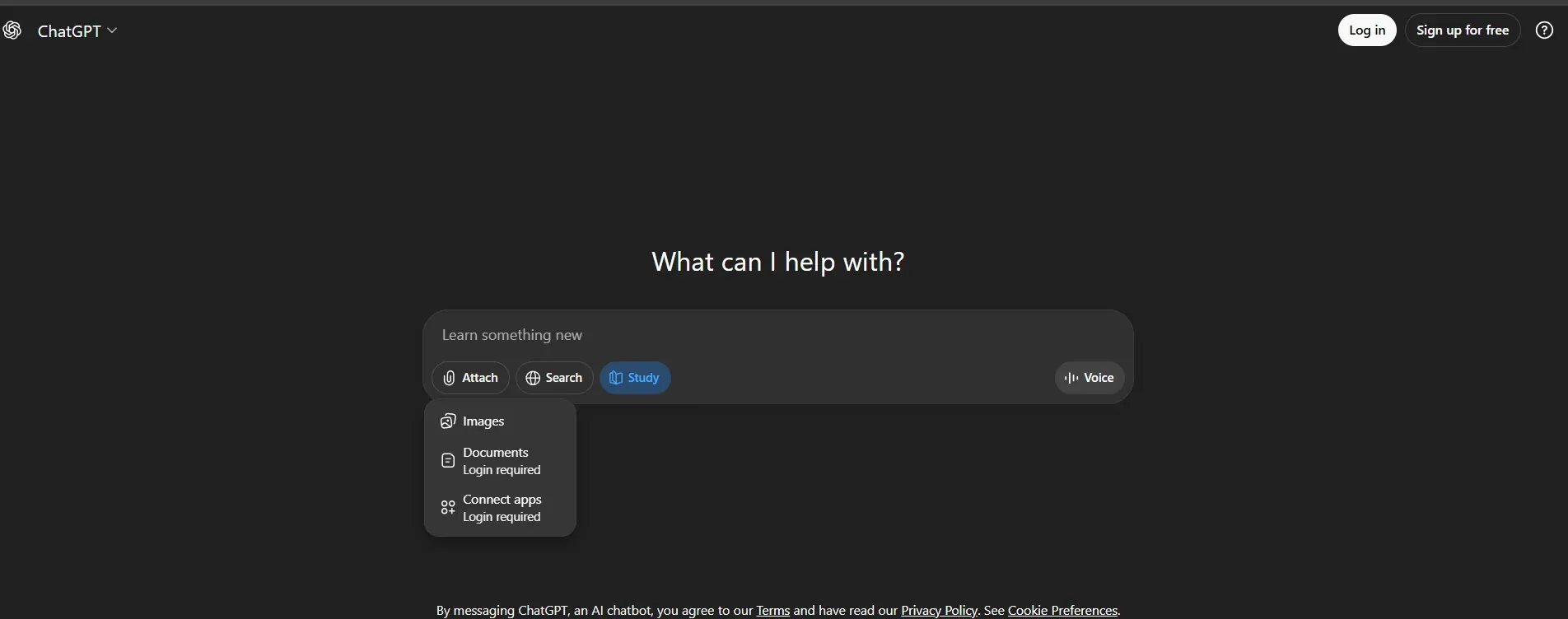
ChatGPT interprets text-based prompts and instructions and extracts information, such as trends, colours, and silhouettes, from lengthy trend reports and organises them into succinct insights.
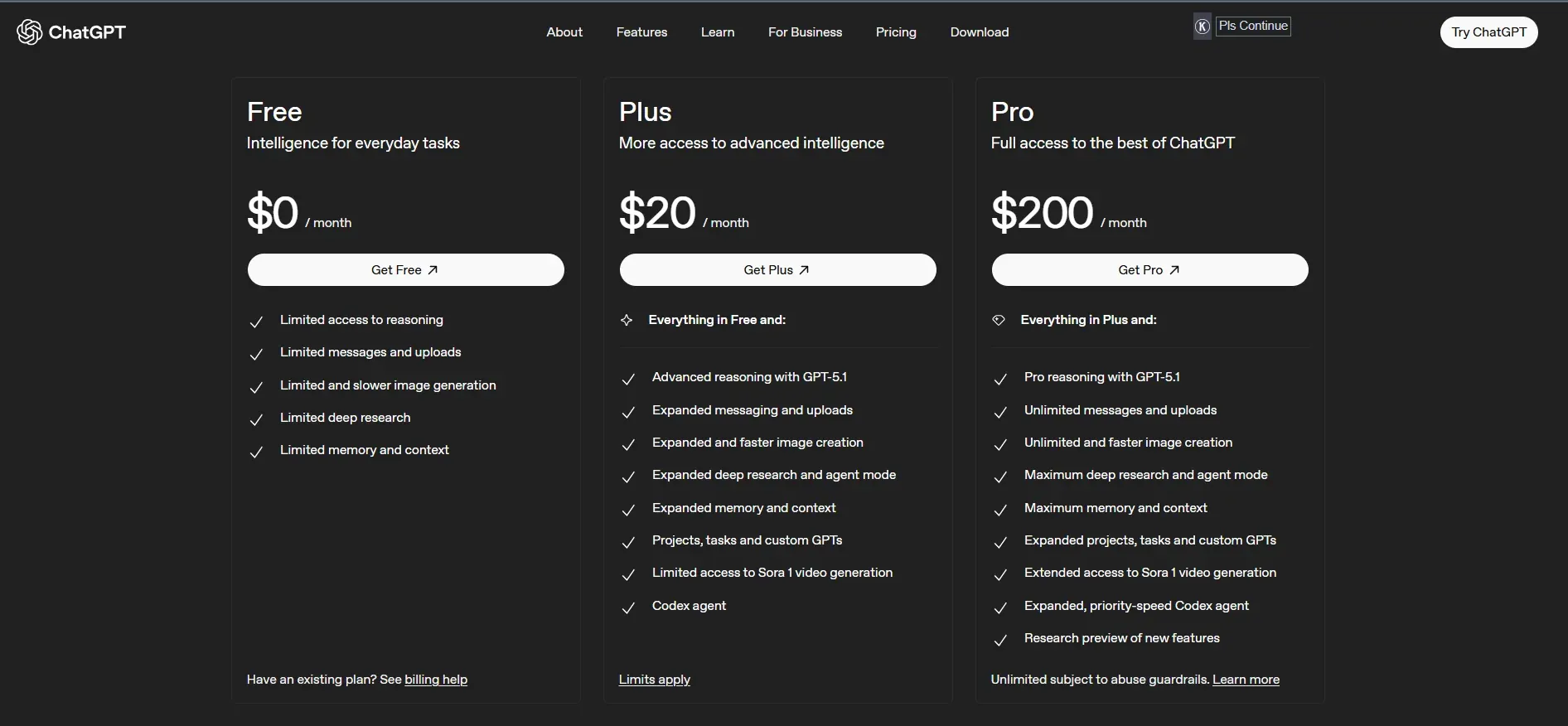
You can use the free model for limited image generation, data extraction, and generating summaries. The paid subscription, starting at $20/Month, allows you to access faster generation, deep research, and other advanced features.
How Does ChatGPT Help?
- Instantly summarises long reports, saving hours.
- Compares different sources and identifies overlapping trends and patterns.
- Performs thorough competitor analysis and highlights gaps.
- Translates raw data into useful insights.
Claude AI
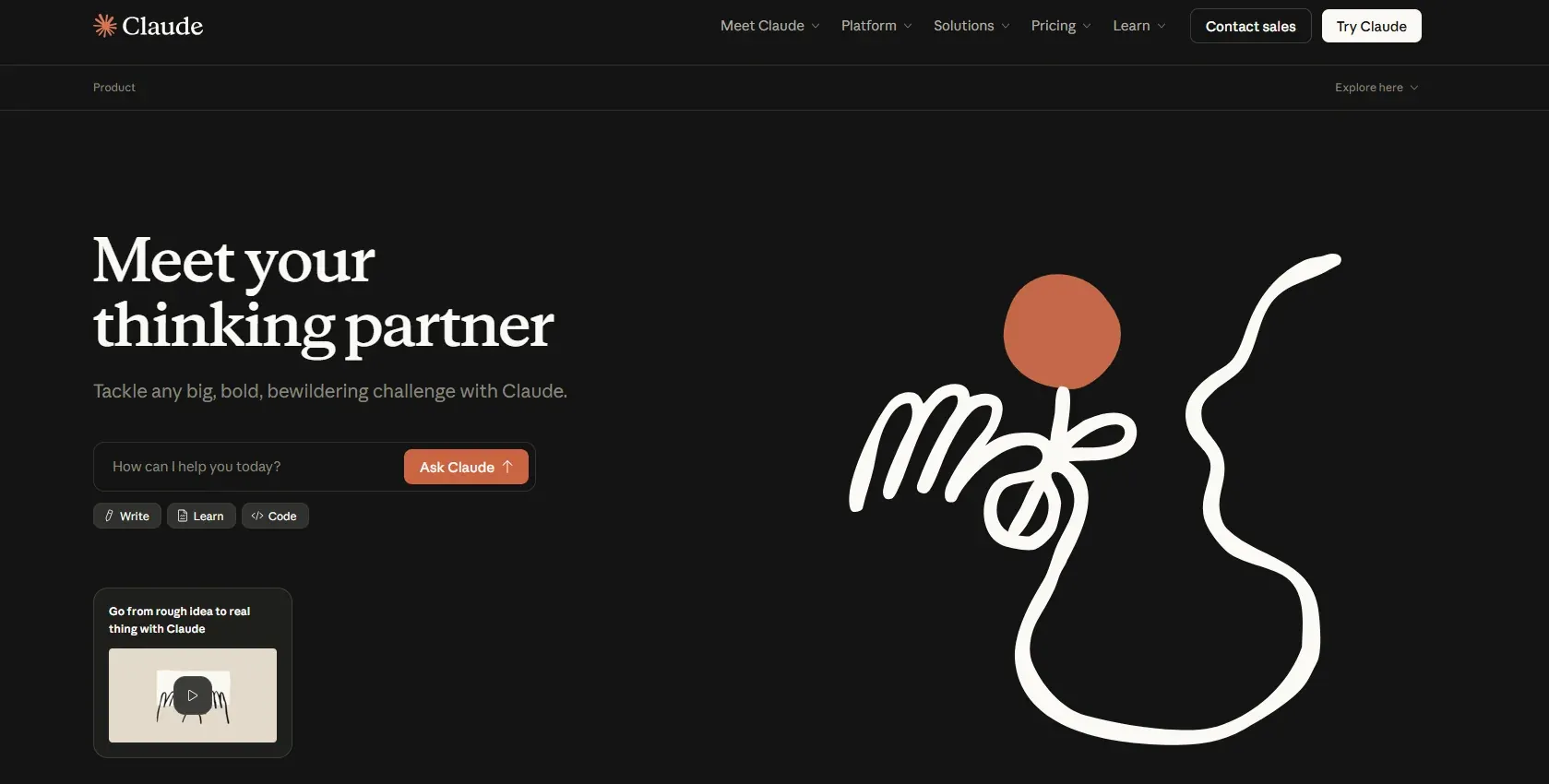
Claude AI is perfect for reading and analysing 100,000+ words at a time and deriving key points and insightful summaries.
It can compare and cross-check texts and images simultaneously, identify recurring themes, and infer trends and styles. Claude AI offers text and image analysis, along with writing and editing, in its free version. With the paid model (starting $20/Month), however, you can access faster creation, deep research, complex reasoning-based work, and more.
What Can You Do With Claude AI?
- Brand comparisons and competitor analysis.
- Understand shifts in trends and emerging trims, motifs, and details
- Perform colour analysis by interpreting lookbooks and trend reports.
- Prepare structured and actionable briefs.
Shortcomings:
- Text only; cannot generate visual mood boards or sketches (unlike ChatGPT/Gemini).
- High token cost.
Manus
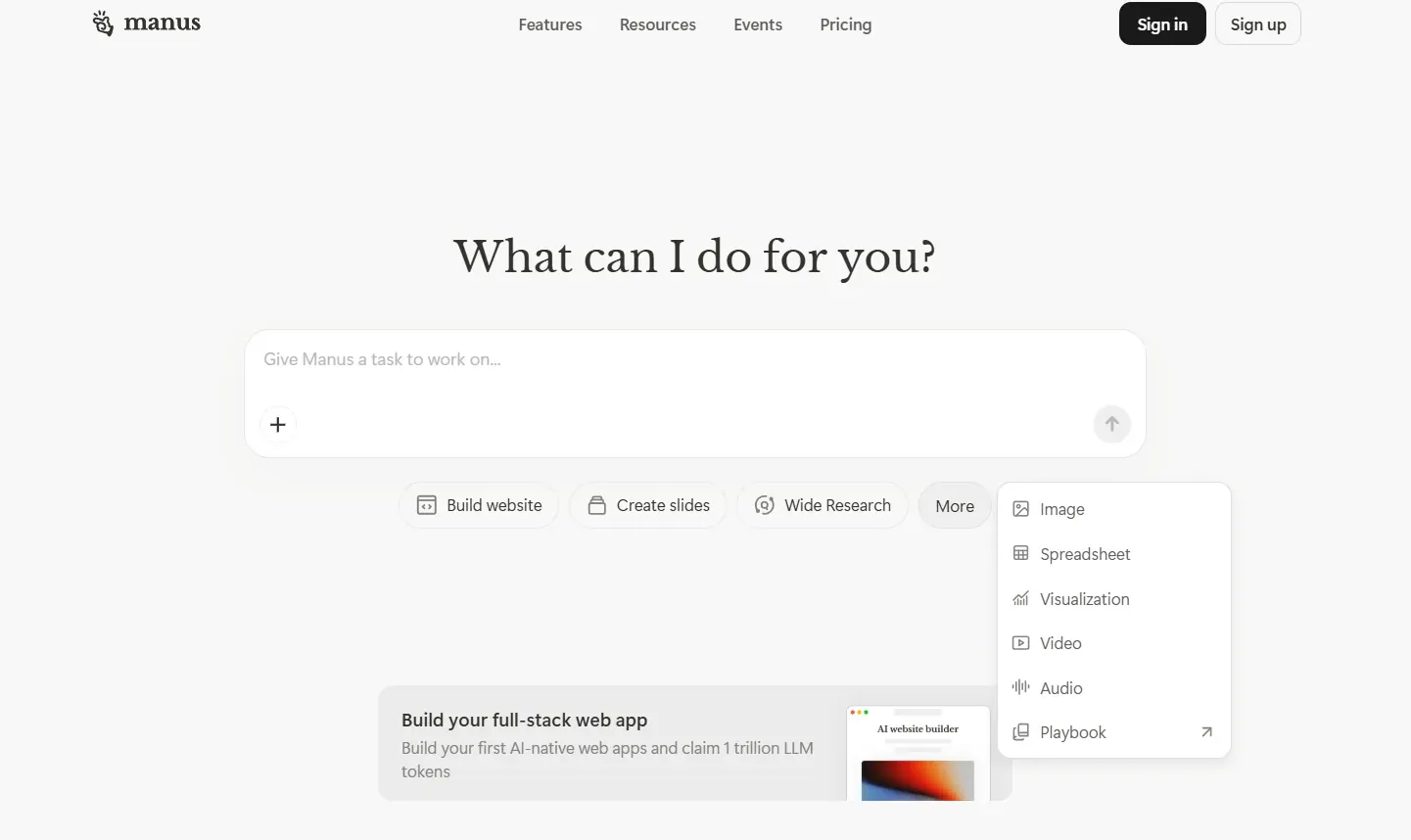
Manus is an AI tool that can crawl websites, read reports, catalogues, and social media posts to identify trends and patterns and create comprehensive reports.
The free version offers 300 daily credits and access to quick analysis and simple searches. The paid version, starting from $40 a month, allows advanced research, structured insights, and faster generation.
Best Uses for Manus AI
- Analyse multiple sources.
- Create easy-to-read dashboards and visualise extracted data.
- Compare prices, trends, and competitors.
- Generate automated, ready-to-use reports.
Shortcomings:
- High friction; expensive and too complex for simple queries.
- Reliability: As an autonomous agent, it can sometimes get stuck in a "loop" trying to solve a problem or make a wrong decision in step 2 that ruins step 10.
- Automated steps are still evolving and can struggle with precision.
2. Creating The Perfect Colour Palette and Mood Board
Finding the right colour, getting the colour palette correct, and manually creating a visually enhanced mood board can take hours. This is where AI design tools come in handy. With smart tools, you can speed up the initial steps and kickstart the design process with high-quality creative boards and images.
Khroma AI
Create Brand-focused Colour Palette Options in Seconds
Adobe Firefly
Generate Visuals, Edit and Refine, and Create Mood Boards from Scratch
Khroma AI
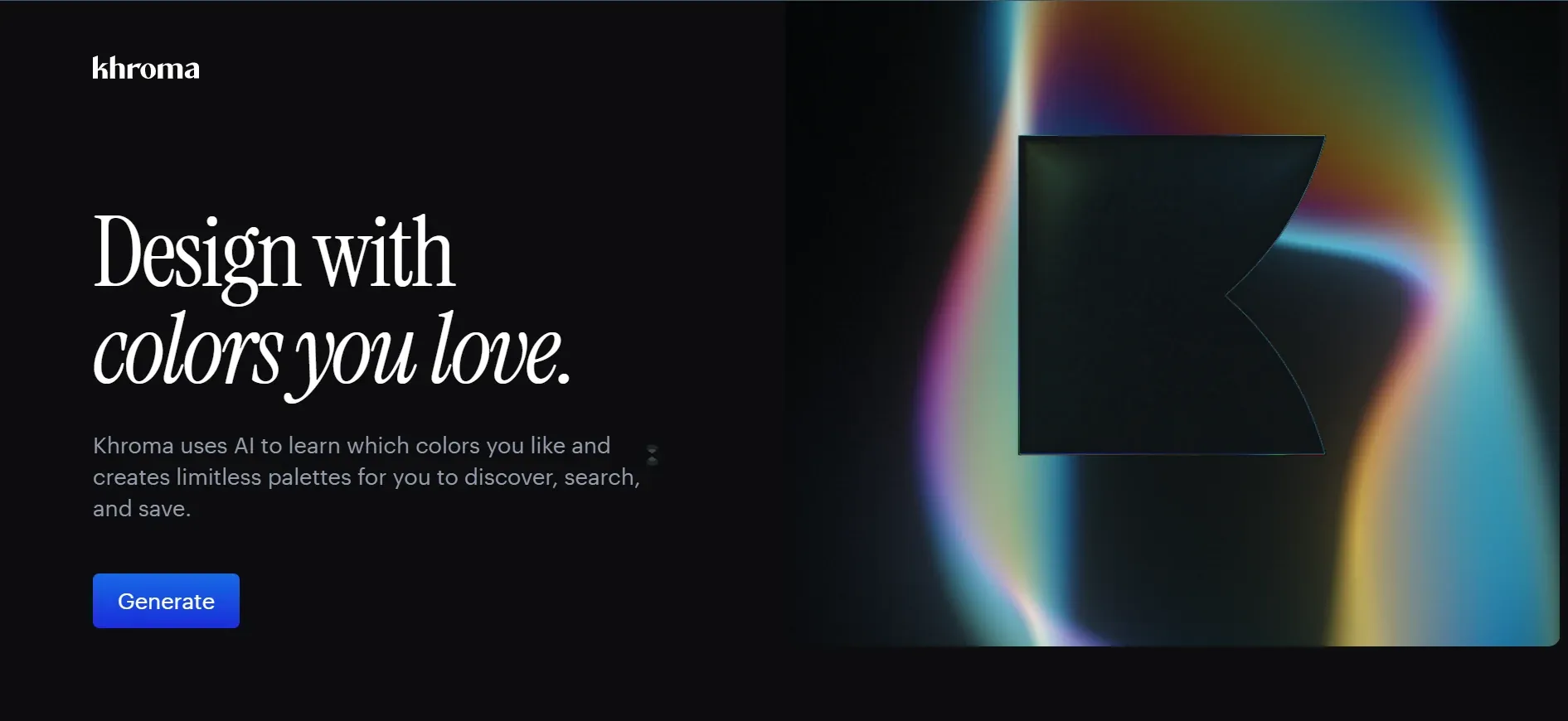
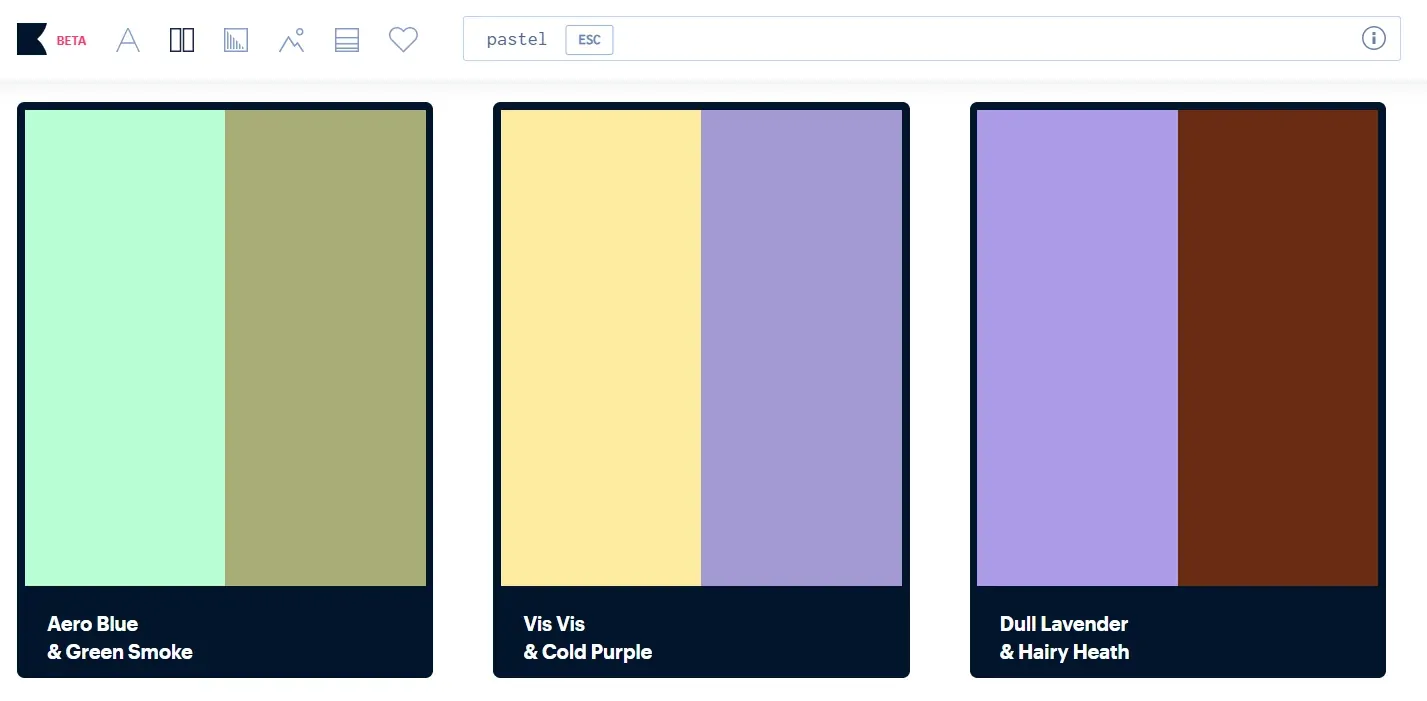
With Khroma, you can choose colour combinations and generate hundreds of colour palettes based on references. It allows you to save all the relevant options and access names, RGB values, hex codes and more. Khroma currently offers a Beta version where users can access the features for free.
Why is Khroma Useful?
- Instantly create personalised colour palettes from your colour preferences.
- Speeds up colour selection.
- Helps generate hundreds of options to enhance mood boards.
- Perfect for creating brand-focused combinations.
Shortcomings:
- Only focuses on colours and doesn't allow visualisation of specific textiles or silhouettes.
- Needs extra time for setting up and entering colour preferences.
- It is yet to integrate well with popular fashion design software and 3D tools.
- Might generate colours that don't translate well into available textile dyes.
Adobe Firefly
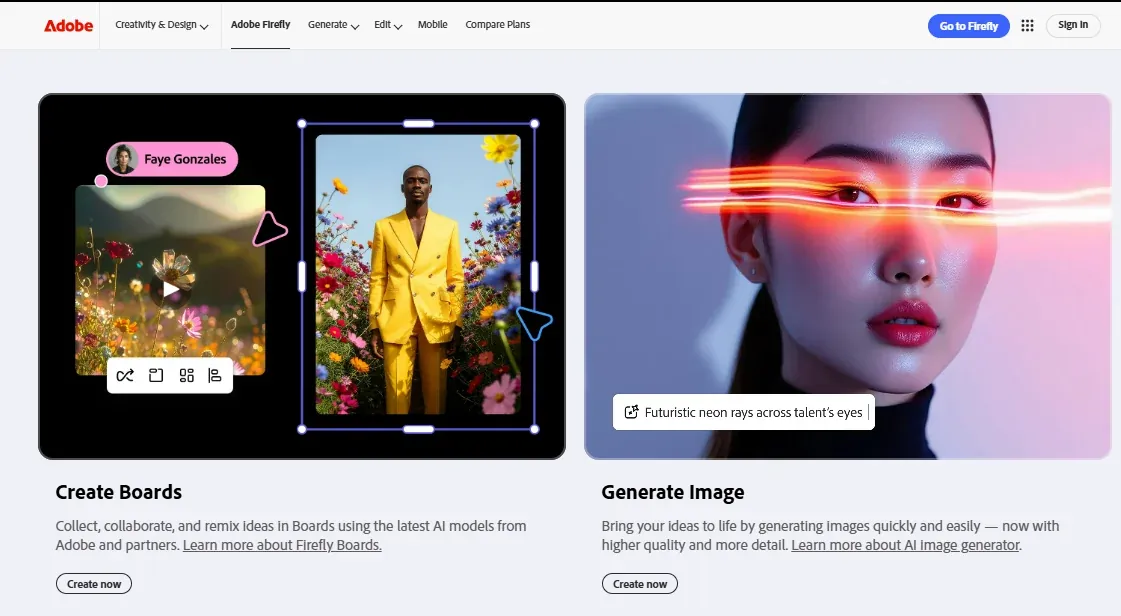
Adobe Firefly automates creating mood boards and helps generate images and layouts that align with your design concept. It integrates with other Adobe apps, making it easier to explore and work in sync.
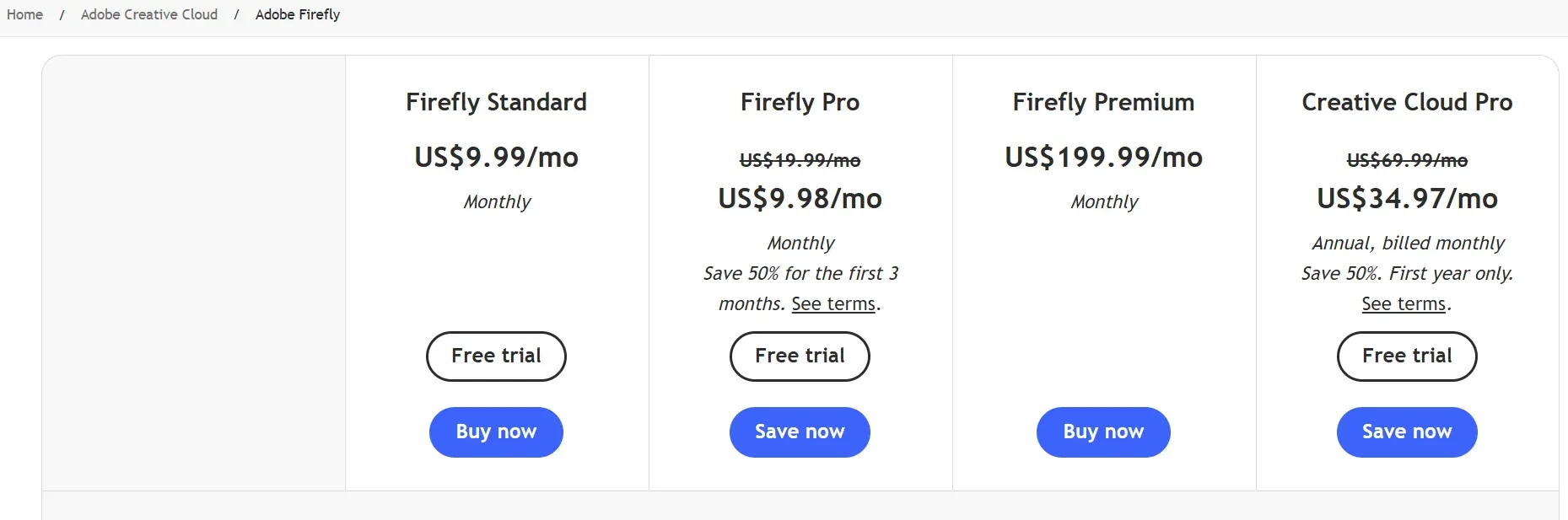
Adobe offers limited free access and free trials. It offers Adobe Firefly with most Creative Cloud subscriptions, and its subscription plan starts at $9.99/month.
Why Do You Need Adobe Firefly?
- Edit and refine silhouettes and employ generative fill with simple prompts.
- Upload or generate images and automate mood board creations in seconds.
- Integration with other Creative Cloud apps = editable boards and smooth workflow.
Shortcomings:
- Limited creation without a subscription or generative credits.
- Intricate textile textures and complex scenes can look distorted.
- Slows down older devices.
3. Faster Design Realisation With AI
AI tools are especially helpful for previewing designs. It saves time and resources in test fitting and sampling, and allows designers to understand how their work would look when worn.
Midjourney
Generate highly detailed images/videos from text prompts to view fabric, silhouette, and trims
Google Nano Banana
Convert Sketches into production-ready, accurate, and realistic garment visuals
Midjourney


Midjourney Output from Learn 3D Fashion
A great platform for inspiration, sharing ideas, and creating realistic visuals, Midjourney has been a game-changer in the industry. Designers can visualise their ideas in no time, speeding up the design process and prompting faster results.
Currently, Midjourney offers a subscription-based plan starting at $10/Month with no free trials available.

Why You Need to Learn Midjourney in 2026
- It allows you to work with different styles and offers great flexibility.
- Generates high-quality images.
- Simple text-based prompts make it easier for everyone to use.
- Allows refinement based on technical parameters and provides quick results.
Shortcomings:
- It can take some time to get used to.
- No free trials available.
- Struggles with consistency and understanding contexts.
Google Nano Banana
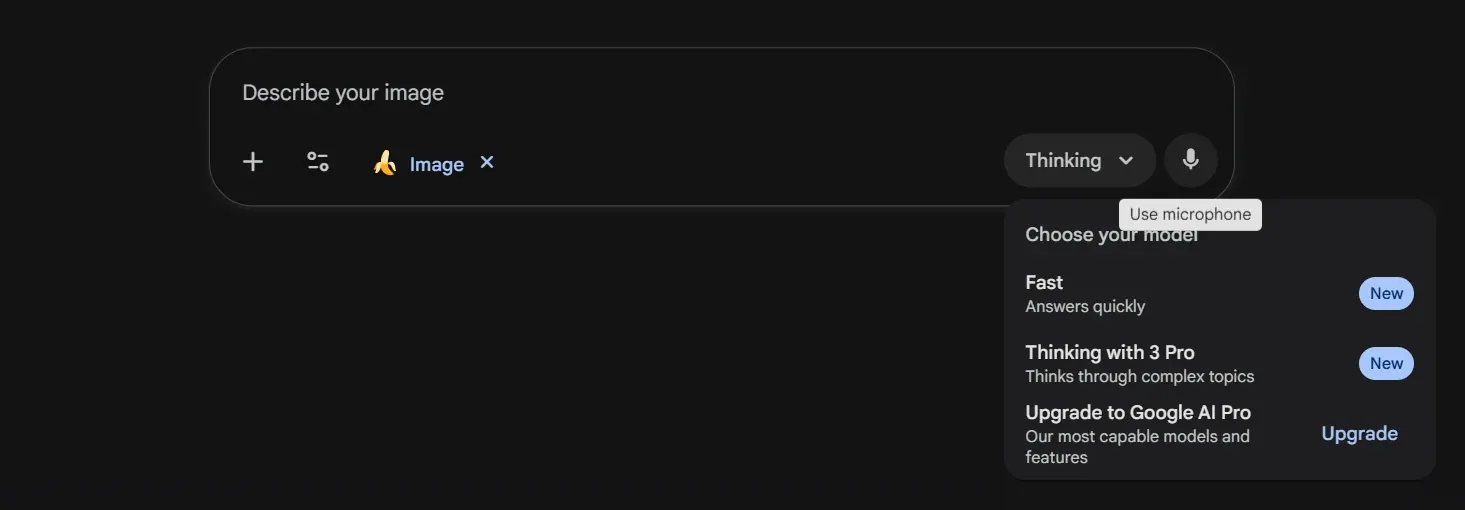
Nano Banana is an AI tool for designers that uses text-based prompts to edit and generate visuals. This is often used by brands to preview how a garment would look on a model, generate high-quality images to communicate intricate surface details, enable virtual try-ons, and incorporate changes without any physical waste.
The Free version allows users to generate low-resolution images with a daily limit. The paid version is included with the Gemini Pro subscription starting at $19.99/Month.

How's Nano Banana Changing Fashion
- Generates high-quality and accurate images.
- Makes precise adjustments in terms of colour, surface, and fabric details.
- Helps understand how garments would look on models with different body types.
- Saves cost in test-fitting, adjustments, and sampling.
Shortcomings:
- Higher-quality image generation is only possible with a paid model.
- Can overlook context and misread prompts.
4. AI Design Tools For Previews, Video-generation, and more
With advanced image and video generation, fashion designers can now use AI tools to create short concept videos, preview how their collections will move on the runway, and simulate fashion show sequences for creative visualisations.
Runway ML
Generate runway-like videos with realistic motion, fabric fall, and movement
Sora
Create detailed fashion sequences with Image+text prompts
Veo 3
High-quality garment animations with minimum inconsistency
Runway ML
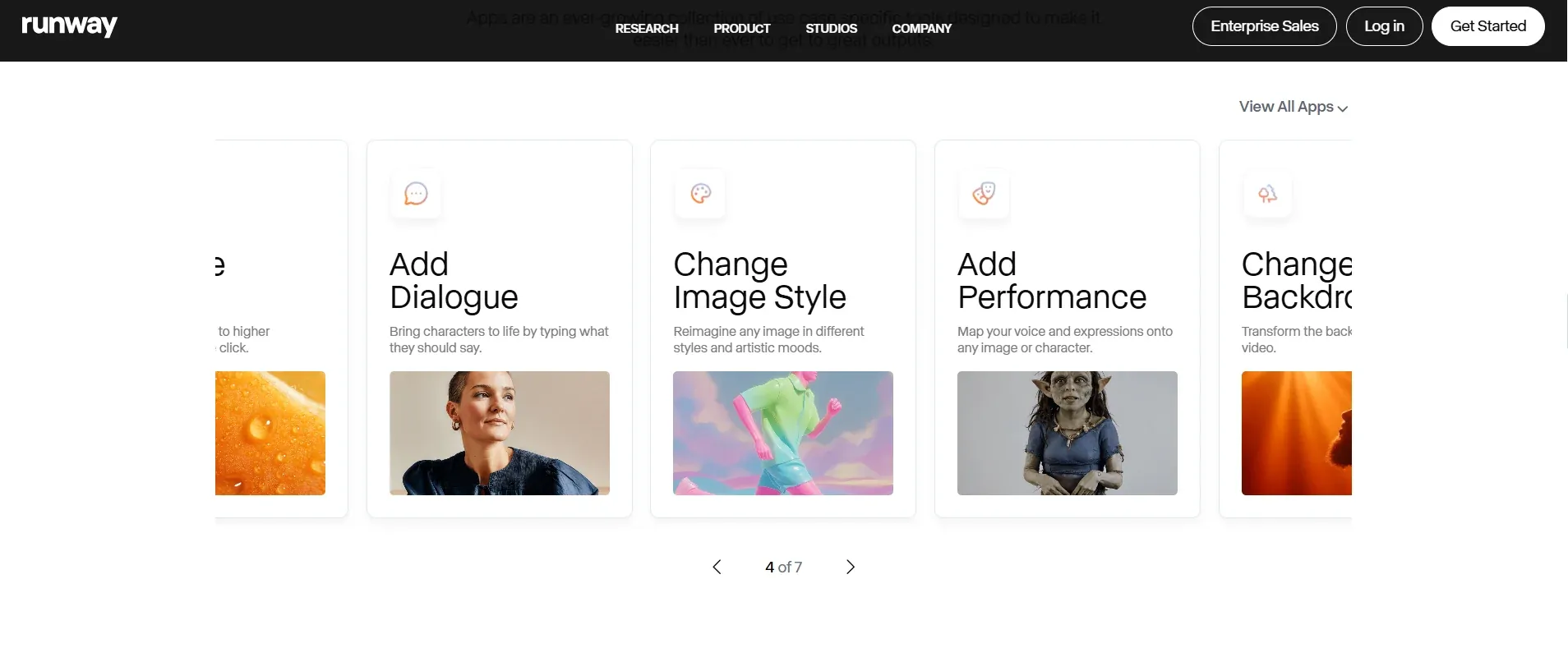
Runway ML's powerful image and video generation tools allow designers to transform sketches and images into realistic videos. It enables accurate prototyping and presentation, considerably cutting time and cost in sampling.
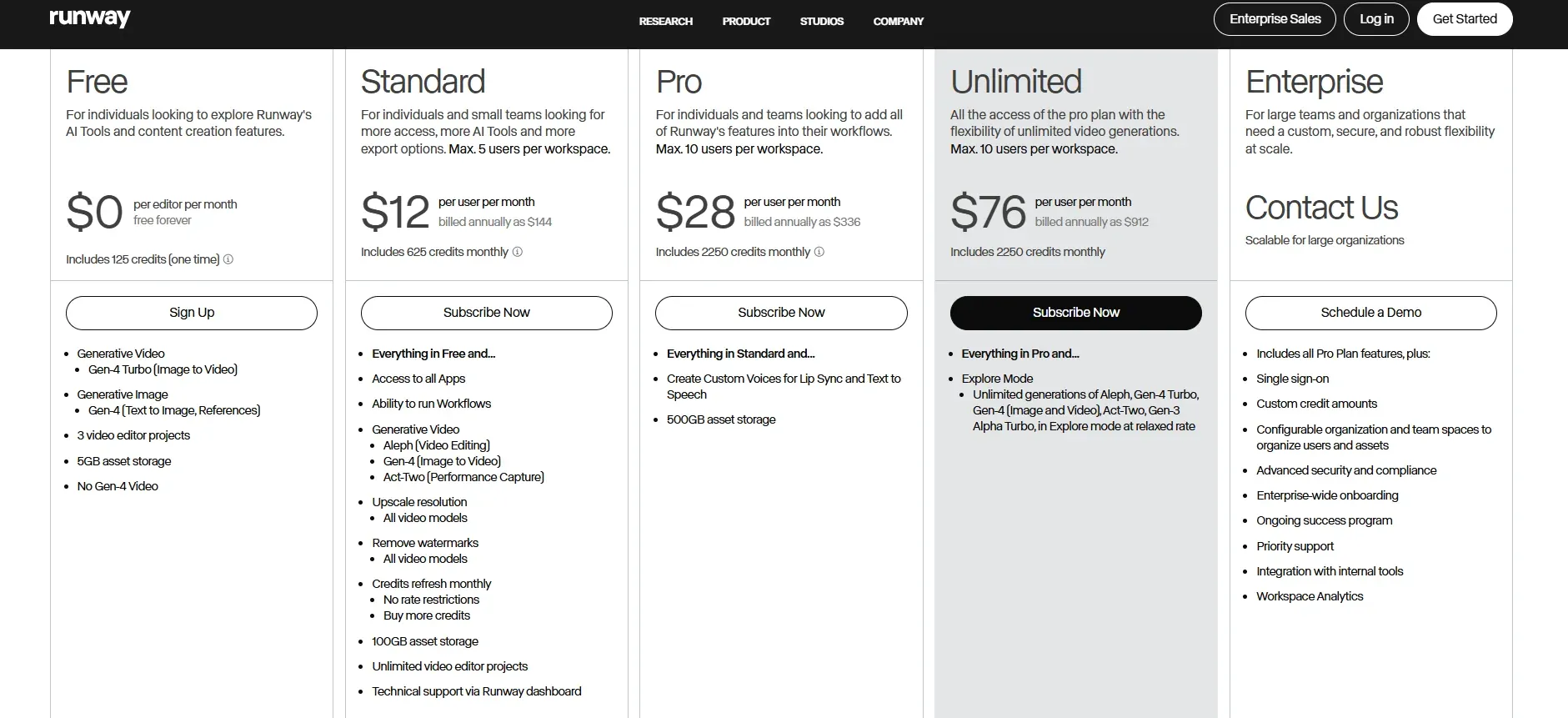
Runway's free model provides access to limited image-to-video generation, with up to 3 video editor projects and 5GB storage. The paid subscription, starting at $12/Month, offers access to advanced generative video options, higher-resolution videos, more storage, and unlimited video editor projects.
Best For
- Creating concept videos for collections.
- Transforming 2D images into animations for runway preview.
- Testing fabric fit and fall, and styling ideas on moving virtual models.
Shortcomings:
- Might not generate accurate results without a strong and precise prompt.
- Simulated fabric movement can look unrealistic and inconsistent.
- Intricate stitch lines, seams, and motifs can get distorted during generation.
Sora by OpenAI
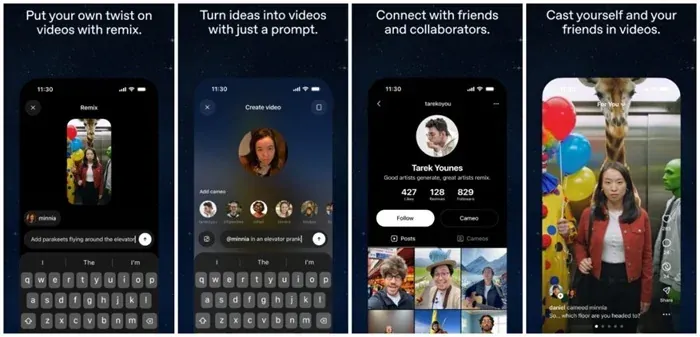
Sora by OpenAI is one of the most popular AI tools used by fashion designers to generate videos and fashion show sequences. It allows text and image-based prompts and provides a realistic view of fabric drapes, fit, and textures.
Sora is available to Plus and Pro OpenAI users with subscriptions starting at $20 a month.
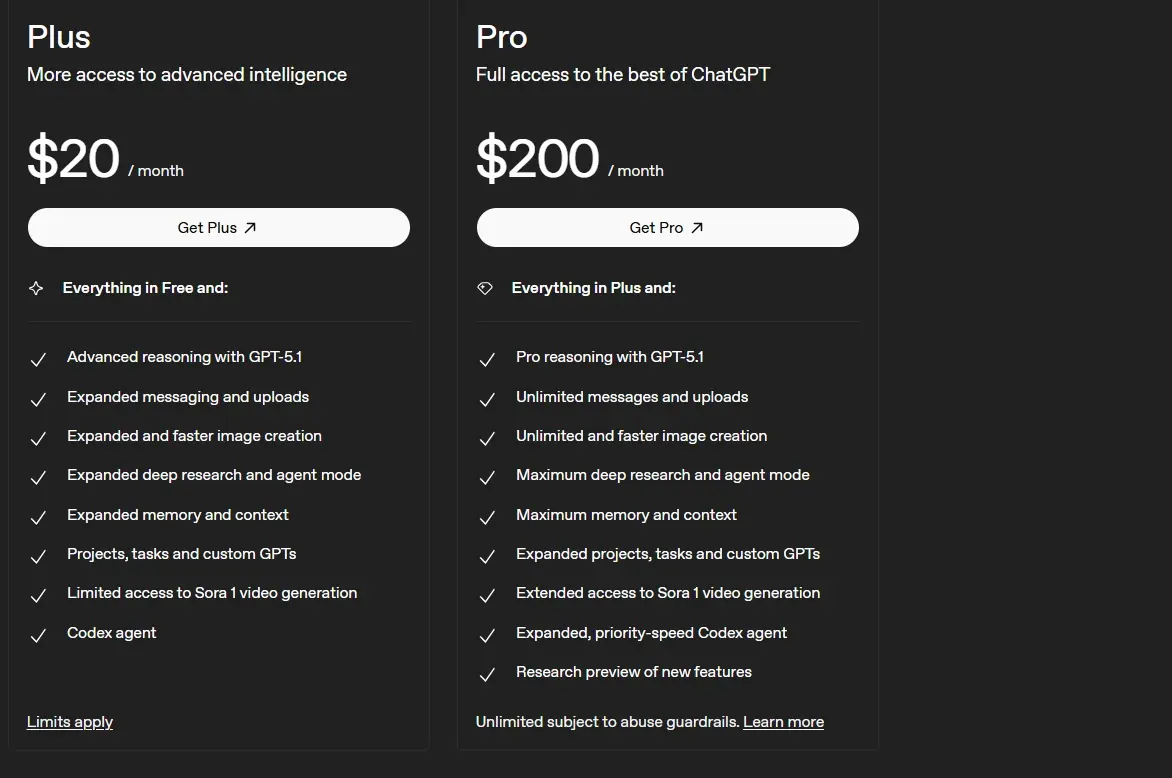
Why Choose Sora?
- Preview garment movements without shoots using text and image-based prompts.
- Simulate fabric flow and movement, backgrounds, lighting, and camera angles.
- Visualise entire collections with a precise idea of drapes and finishes.
Shortcomings:
- Only available to paid users/ certain region.
- Can struggle with object permanence while generating variations.
- Can confuse spatial details and insert speculative details.
- Difficulty generating complex texts consistently.
Google Veo 3.1
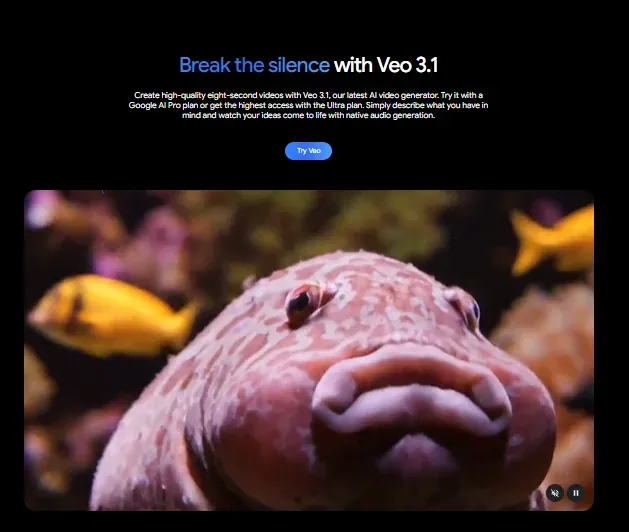
Google's Veo 3 and 3.1 are known for their ability to generate cinematic visuals and realistic fabric details with different, adjustable background settings. The videos are high-fidelity and can mimic camera movements and angles, and lighting, making concept videos and virtual fashion show sequences look extremely professional.
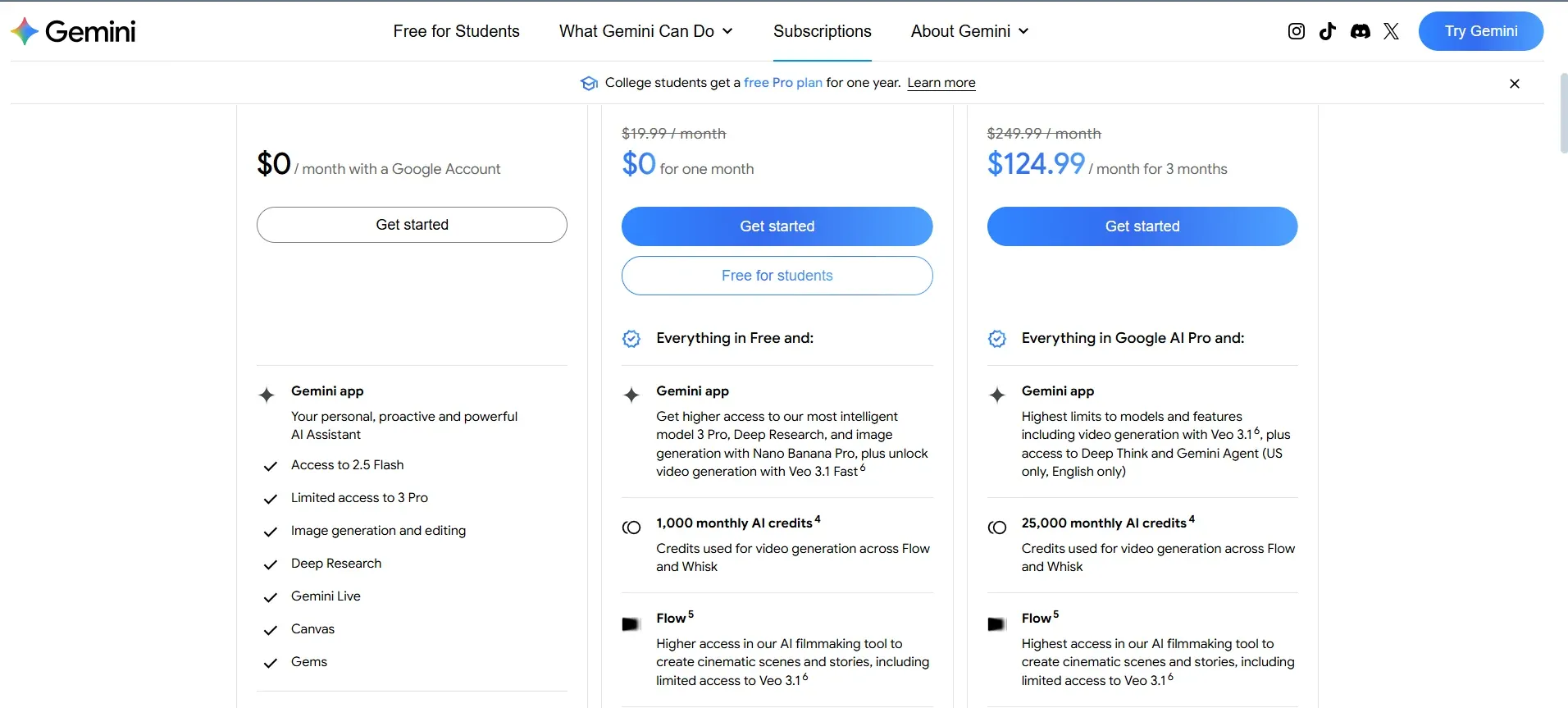
While the free version provides limited access to the features, the paid version is available with Gemini Pro starting at $19.99/month.
What's New About Veo 3.1?
- Crisp visuals with photo-realistic garment textures.
- Realistic digital runway videos with precise fabric movements.
- Accurate camera positioning and lighting.
Shortcomings:
- Inconsistencies in generating characters and variations.
- Complex scenes with multiple objects and characters can get distorted.
- Video length is limited to 8 seconds per prompt.
5. Generate Photorealistic Product Images for Marketing and Social Media
Integrating AI tools to generate realistic, high-quality product photoshoots allows designers to deliver consistent visual aesthetics without expensive setups, props, and studios. It leaves room for exploring visual styles and experimenting with different concepts much faster than traditional methods.
Raspberry AI
Generate studio-grade product photoshoots based on brand aesthetics
OpenArt AI
Create short video stories for social media
Raspberry AI
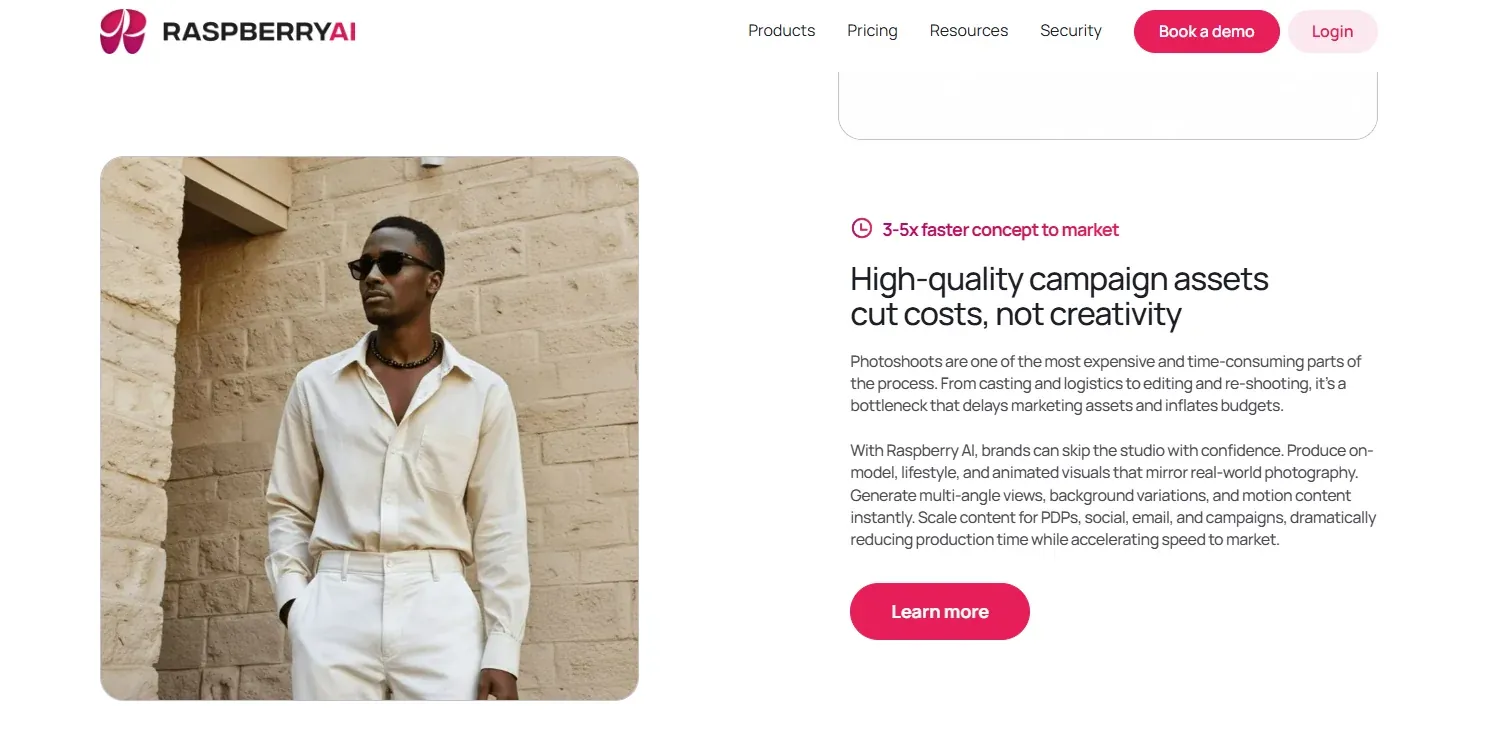
Raspberry AI allows you to create realistic product images from technical sketches, making it easier to generate precise photos for e-commerce websites and social media. You can create studio-like, on-model, lifestyle photoshoots with adjustable backgrounds and animated visuals.
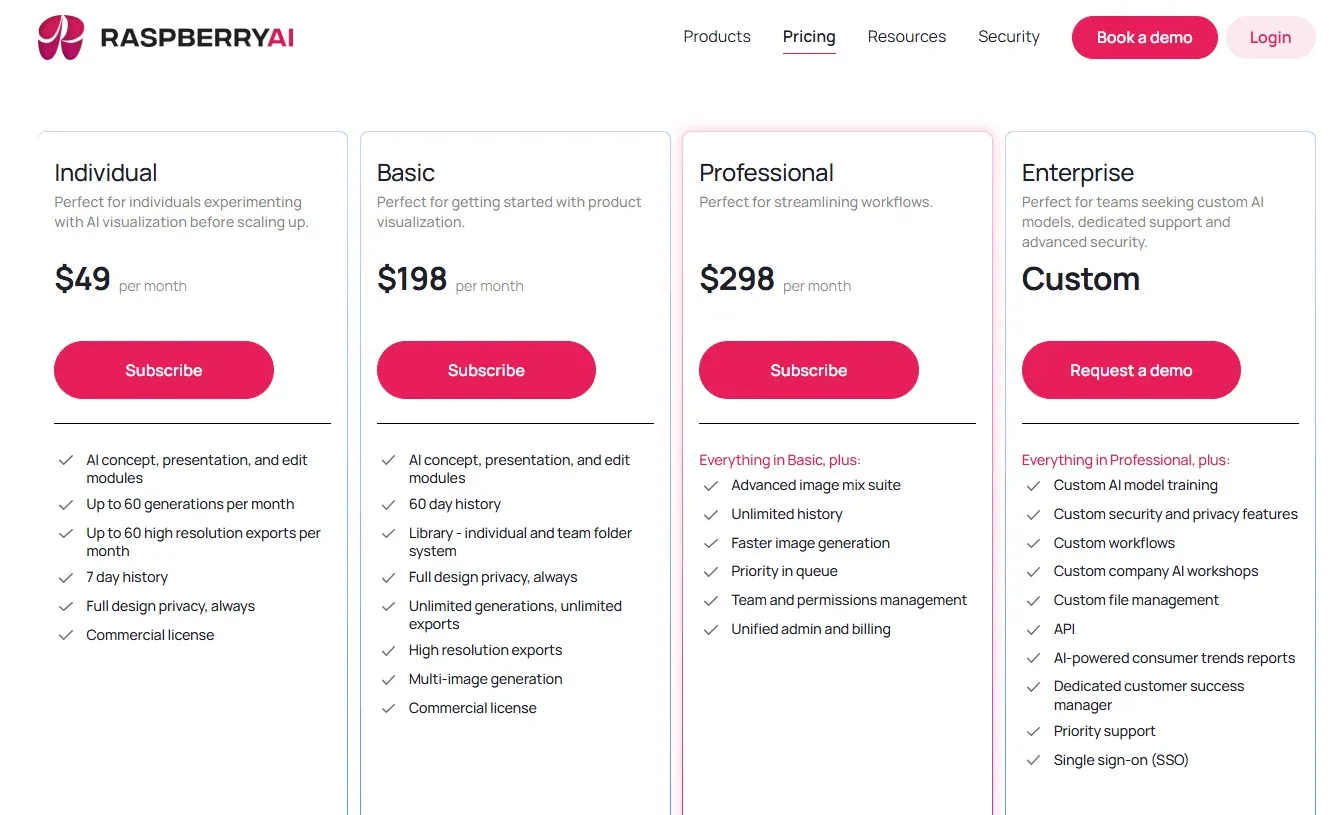
Raspberry AI offers subscriptions starting at $49/month. It also offers a custom package with advanced options for professionals.
What Can You Do with Raspberry AI?
- Generate high-quality, realistic product photoshoots with no studio expense.
- Experiment with backgrounds, poses, and aesthetics.
- Reduce time taken in photoshoots and post-production.
Shortcomings:
- It can struggle with unconventional textures and styles.
- May generate inconsistent results by misreading contexts in prompts.
OpenArt AI
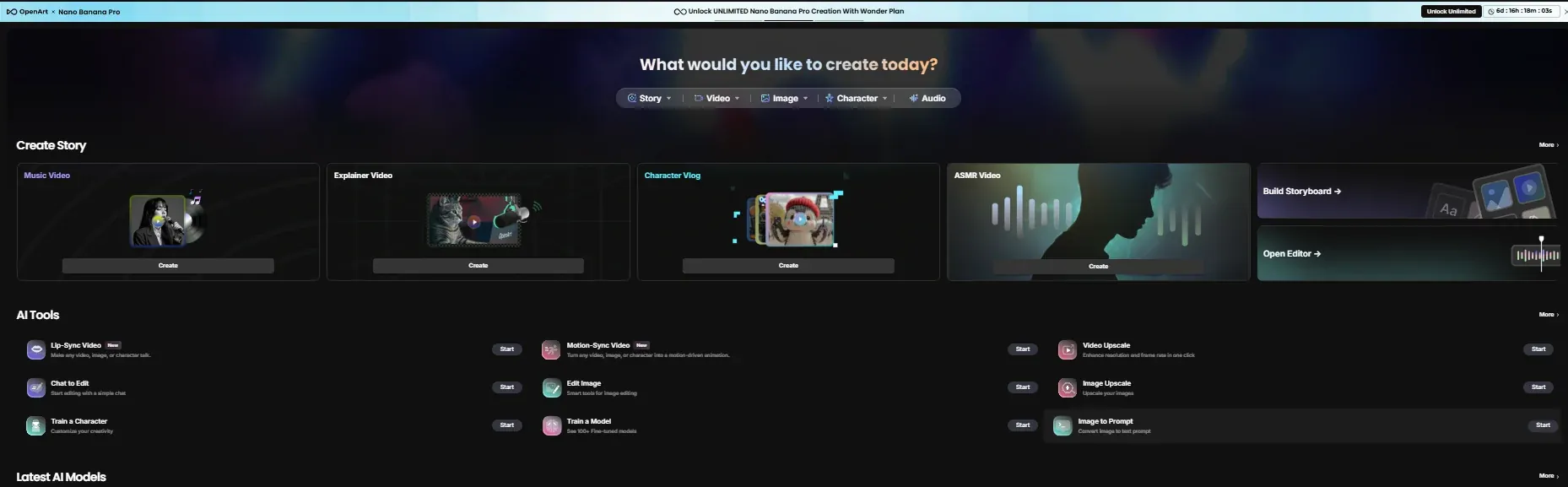
OpenArt AI offers a solution for creating cost-effective content by generating images, videos, and voice-overs, creating mini character vlogs, and experimenting with different styles, all on one platform.
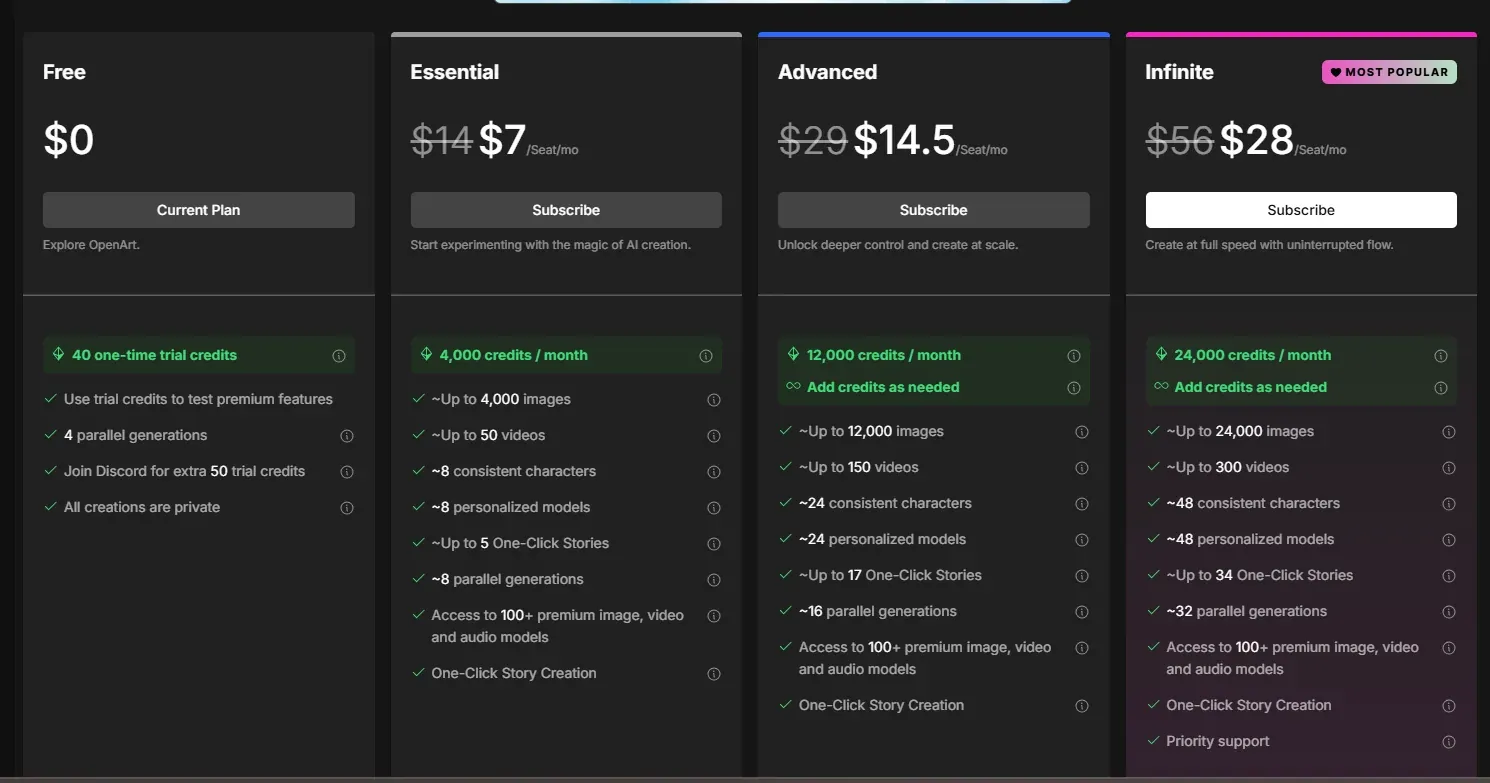
Although the platform offers 4 trial credits for experiencing different tools, you can only freely create with the paid model, with subscriptions ranging from $7/month to $96/month, and an option to purchase extra credits.
Why Use OpenArt AI
- Create cost and time-efficient visual content for social media.
- Generate videos for marketing campaigns.
- Build storyboards and generate ideas.
- Customise characters, voice-overs, and backgrounds.
Shortcomings:
- Only properly accessible via a paid model.
- It can take some time to learn advanced features.
- The credit system can feel restrictive and limit exploration.
How to Choose the Right AI Tool?
Wondering how to choose the right tool for yourself? Here are some steps that can help -
- Decide what task you want the AI tool to perform (research, generating visuals from a sketch, generating product photos).
- Use the trial or free version to get accustomed to the platform.
- Learn the basics of a tool that you want to use before investing in a paid subscription.
Can use a flow chart based on the table in the intro section.
Get Started by Integrating AI Design Tools Into Your Workflow
AI is already becoming an inseparable part of the fashion ecosystem. Understanding when to use AI tools and how to prompt generative AI is the key to future-proofing your career in 2026.
If you want to start integrating AI tools into your design process, guided courses with video tutorials are a great first step. Check out our comprehensive 3D Fashion + AI course structure or explore the top fashion design software tools to complement your AI toolkit.
What would you learn in an AI for Fashion course?
- Familiarise yourself with basic AI-powered research tools and advanced generative AI.
- Get hands-on experience with industry-standard projects.
- Learn good practices for using AI.
- Understand trends and stay updated about the technological shifts in the fashion realm.
Continue Reading
Best 3D Fashion Design Software in 2026 — Full Comparison
Compare CLO3D, Browzwear, Marvelous Designer, Style3D and more side by side.
Top 10 Fashion Design Software Tools (Ranked)
See where AI tools rank among traditional fashion software.
5 Best CLO3D Alternatives
Pair AI tools with the right 3D software for your workflow.
How to Start a Career in 3D Fashion Design
AI skills are now essential — learn how they fit the career path.
Final Thoughts
The current fashion landscape is a combination of creativity and technological prowess. Designers need to master artistic skills and be digitally proficient to navigate the industry. For more insights on essential skills, read our guide on top skills to be a fashion designer in 2026.
Here's a checklist of the best AI tools for fashion designers -
- For market research and trend report analysis, use Chat4Data, ChatGPT, Claude AI, or Manus AI.
- Use Khroma AI to generate colour palettes.
- Try Adobe Firefly for high-quality image and mood board generation.
- Master Midjourney and Google Nano Banana to visualise designs and simulate fabrics.
- Learn RunwayML, Sora, and Veo3 for fashion shorts and concept videos.
- Raspberry AI and OpenArt AI for product photoshoots.
Ready to master AI Tools for Fashion?
Join the industry's leading 3D Fashion + AI program - trusted by designers from NIKE, FIT, Harvard, and 3,000+ students across 10+ countries.